The Hidden Cost of Going on Leave: How Teams Waste 2+ Hours Per Person
Jan 18, 2026 • 9 min read
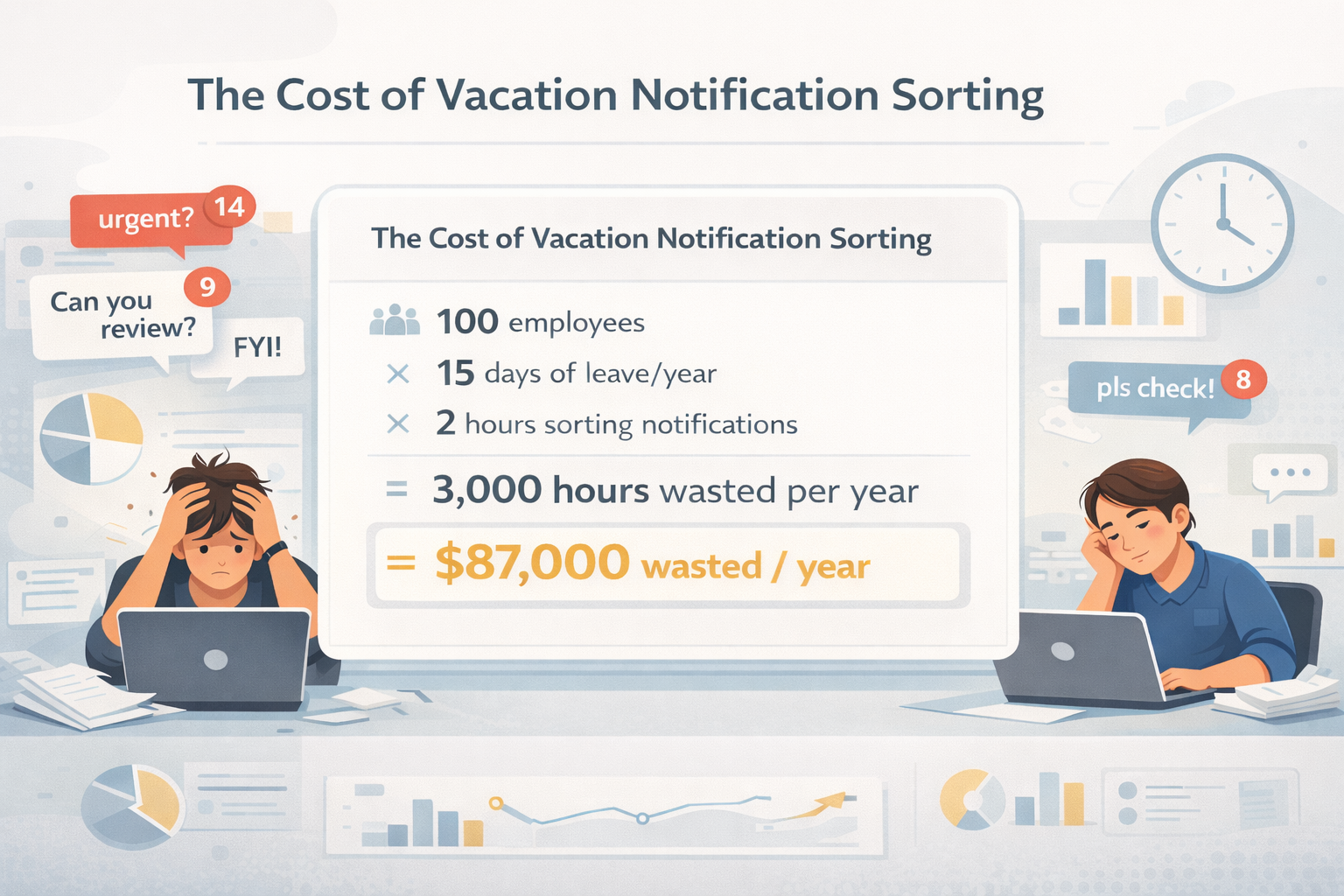
Let me show you some math that’ll make your finance team wince.
Scenario: Your company has 100 employees. Each takes an average of 15 days of leave per year (pretty standard). Each person spends an average of 2 hours sorting through notifications when they return.
100 employees × 15 days × 2 hours = 3,000 hours per year
At an average salary of $60,000/year ($29/hour), that’s $87,000 spent annually just on people sorting through Slack messages after returning from leave.
Over $87,000. Every year. Just to figure out what happened while people were gone.
And that’s just the sorting time. We haven’t even counted:
- Blocked work waiting for responses
- Poor decisions made without key stakeholders
- Reduced productivity on return days
- The mental cost of vacation anxiety
The real number? Probably 3-4x higher.
The Hidden Costs Nobody Tracks
Cost #1: The Notification Sort (The Obvious One)
This is what we just calculated. But let’s break down what actually happens during those 2 hours:
9:00 AM - Opens Slack, sees 47 notifications
9:05 AM - Starts reading from the top
9:12 AM - Clicks into first thread, reads 8 replies to understand context
9:18 AM - Realizes this wasn’t urgent, moves to next
9:23 AM - Finds an urgent message from 4 days ago (already resolved by someone else)
9:30 AM - Still on notification #7 of 47
10:45 AM - Finally done reading everything
11:02 AM - Realizes they need to re-read the important ones to decide priority
Total time: 2 hours, 2 minutes
Actual productive work done: 0 minutes
Cost #2: Blocked Work (The Expensive One)
Here’s what happens when a key person is on leave without proper coverage:
Day 1 of leave:
Designer: “Hey @sarah, can you review these mockups?”
No response
Day 2 of leave:
Designer: “Bumping this, need approval to move forward”
Still no response
Day 3 of leave:
Designer posts in #general: “Does anyone know when Sarah’s back? Release is next week.”
Manager: “She’s on leave. Can it wait?”
Designer: “Not really…”
Manager: “Let me look at it.” (Manager spends 45 minutes understanding context they don’t have)
Day 5 of leave:
Manager makes a decision. It’s 70% right, but misses key user research insights Sarah had.
Two weeks after Sarah returns:
Team realizes the design needs rework. 3 days of engineering time wasted.
Cost breakdown:
- Designer blocked: 2 days × 6 hours = 12 hours
- Manager covering: 3 hours
- Rework after wrong decision: 24 engineering hours
- Total: 39 hours for one blocked decision
And this is just one instance. Multiply across all decisions that need that person’s input.
Cost #3: The Anxiety Tax (The Invisible One)
This one doesn’t show up in productivity metrics, but it’s real:
Before vacation:
- 2-3 hours preparing handoff docs that no one will read
- Mental overhead of “what if something goes wrong”
- Last-minute Slack messages: “I’m out tomorrow, if anything urgent comes up…”
During vacation:
- Day 3: Opens Slack “just to check”
- Day 4: Sees 23 notifications, stress spikes
- Day 5: Spends 30 minutes responding to “urgent” issues
- Day 6: Wonders if they should just come back early
After vacation:
- Sunday evening: Dreading the notification avalanche
- Monday morning: Anxiety about what they missed
- Tuesday: Still catching up, not at full capacity
The real cost? People don’t fully disconnect. Vacations are less restorative. Burnout risk increases.
Can you put a price tag on this? Not easily. But companies that track employee wellbeing metrics see it in decreased engagement scores, higher burnout rates, and increased turnover among high-performers.
Cost #4: The Context-Switching Penalty (The Compounding One)
Let’s say you’re back from leave. You’ve spent 2 hours sorting notifications. Now you try to actually work.
But you can’t just jump into deep work. Your brain is fragmented:
- “I need to respond to those 3 urgent messages”
- “That client escalation -should I call them or email?”
- “Did anyone follow up on the bug report from day 2?”
Research shows it takes an average of 23 minutes to fully refocus after a context switch.
If your 2-hour notification sort created mental tabs for 8 different issues, you’re losing 3+ additional hours of fragmented focus throughout the day.
Day 1 back from leave productivity: ~40% of normal capacity
Why This Problem Is Getting Worse
1. Remote/Hybrid Work = More Slack Reliance
Pre-2020: You’d walk into the office, chat with your team, catch up organically.
Post-2020: All communication is in Slack. Missing a week means missing everything.
2. “Always On” Culture
We say “take time off” but we’ve created systems that punish people for actually disconnecting.
- Email has out-of-office auto-replies
- Calendar blocks show you’re unavailable
- But Slack? Just a status message people ignore
3. Notification Overload Is Normalized
The average knowledge worker gets 300+ Slack messages per week.
Take one week off? That’s 300 messages to sort through. Plus thread context you weren’t in. Plus decisions made without you.
4. No Built-In Prioritization
Email has flags and folders. Project management tools have priority levels. Slack? Everything looks equally urgent. A message about lunch plans sits next to a production outage alert.
The Real Impact: A Case Study
Let me share a real example (names changed):
Company: 120-person SaaS startup
Team member: Priya, Engineering Manager
Leave duration: 10 days (wedding + honeymoon)
Before implementing a leave management system
Day 1-10 (during leave):
- Team tagged her 64 times
- 12 were genuinely urgent (production issues, critical decisions)
- 52 were routine (code reviews, FYIs, casual questions)
- Backup (Rahul) had no idea which were which
- Rahul spent 6 hours fielding questions he couldn’t answer
- 3 urgent issues escalated to CEO because no one knew what to do
- Team made 2 architectural decisions that Priya later had to reverse
Day 11 (return day):
- Priya spent 3.5 hours reading through everything
- Found urgent issues buried among routine pings
- Realized 2 production bugs sat unresolved for 4 days
- Spent rest of day firefighting
Total cost:
- Priya: 3.5 hours sorting + 8 hours firefighting = 11.5 hours
- Rahul: 6 hours covering
- Team: 16 hours of rework for reversed decisions
- CEO: 2 hours handling escalations
- Production downtime: 4 days × customer impact
- Estimated total cost: $3,500-$4,500 (factoring salary, customer churn risk, and opportunity cost)
After implementing a leave management system
Same leave duration, same team size, different results:
Day 1-10:
- Team tagged her 58 times (similar volume)
- Each tagger marked priority (High/Low)
- 14 marked High → Rahul’s contact info automatically shown
- 44 marked Low → logged for Priya’s return, no action needed
- Rahul handled the 14 urgent issues efficiently (had context from priority markers)
- No CEO escalations
- No reversed decisions
Day 11:
- Priya got a summary: 14 High, 44 Low
- Reviewed High priority items first: 30 minutes (already handled)
- Skimmed Low priority: 20 minutes
- Started actual work by 10 AM
Total cost:
- Priya: 50 minutes catch-up
- Rahul: 2 hours handling urgent items
- Team: 0 hours rework
- CEO: 0 hours escalations
- Estimated total cost: $600
Savings: $3,000-$4,000 per incident
And this was just one person’s leave. Scale this across 120 employees taking multiple leaves per year…
The ROI of Solving This
Let’s go back to our original calculation with a 100-person company:
Current state:
- 3,000 hours wasted on notification sorting
- Additional ~2,000 hours in blocked work and rework
- Total: 5,000 hours
- At $29/hour: $145,000 annual cost
With a leave management solution:
- Notification sorting: 3,000 hours → 600 hours (80% reduction)
- Blocked work: 2,000 hours → 400 hours (80% reduction)
- Total: 1,000 hours
- At $29/hour: $29,000 annual cost
Annual savings: $116,000
And remember, this doesn’t account for improved employee wellbeing, better vacation recovery, reduced burnout, and higher retention.
What Good Leave Management Looks Like
Based on what actually works, here’s what an effective system needs:
1. Automatic Notifications
When someone tags a person on leave, the system should respond immediately:
- “X is on leave until [date]”
- “Is this High or Low priority?”
2. Smart Escalation
- High priority → Show POC contact info immediately
- Low priority → Log for later, no POC shown (reduces backup burden)
3. Prioritized Summaries
When the person returns:
- Clear separation: High priority vs. Low priority
- Direct links to each conversation
- Chronological within each priority level
4. Zero Friction Setup
- Takes < 5 minutes to configure
- Works in all channels (public and private)
- No manual process for team members
The Bottom Line
Going on leave shouldn’t cost your company lakhs of rupees in lost productivity.
It shouldn’t mean 2+ hours of notification sorting.
It shouldn’t mean your team is stuck waiting for answers.
And it definitely shouldn’t mean you’re anxiously checking Slack on day 3 of your vacation.
The technology to solve this exists. Most companies just haven’t realized the problem is worth solving.
Take Action
Want to calculate the exact cost for your team? Use our ROI calculator:
See how much value we add
Enter your team details below to calculate your savings
Advanced Options
Individual Value
Assuming 2 hours saved per leave period
4 hours/year per person
At $10/hr = $40 saved per person
Team Value
For 50 people = 200 hours saved annually
$2,000 in recovered productivity
Cost: $0.38 per person (one-time)
One-time payment • No recurring fees • Own it forever
Then ask yourself: What could you do with those hours back?
This analysis is based on actual data from teams using Slack in startups and tech companies. Individual results may vary, but the pattern is consistent: leave management has real, measurable costs that most companies aren’t tracking.