How to Reduce the “Vacation Hangover” to 15 Minutes
Dec 22, 2025 • 2 min read
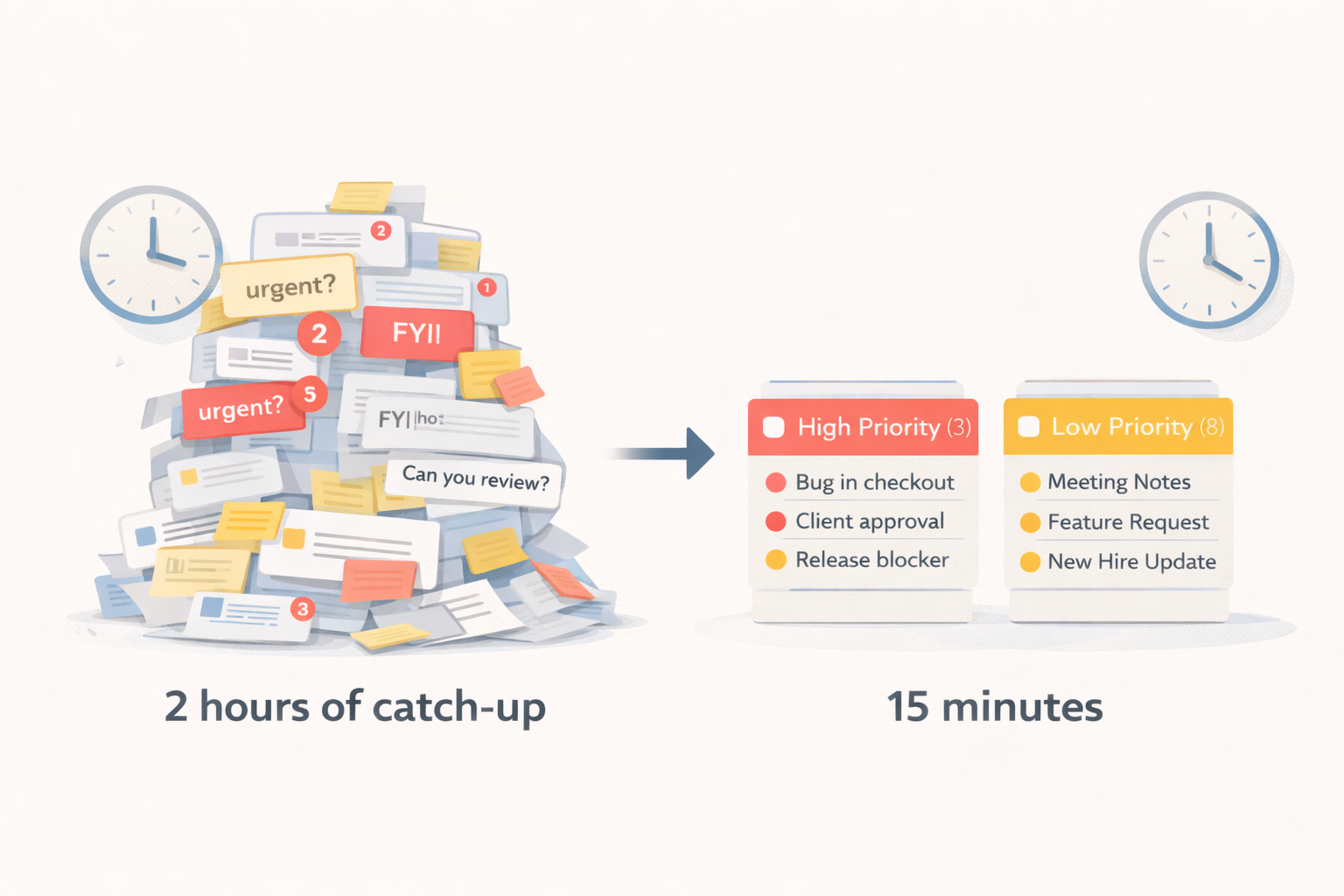
The worst part of taking time off isn’t the handoff doc. It’s the return day: you open Slack and your brain instantly gets fragmented into 20 threads, 12 decisions, and 3 fires you don’t have context for.
That return-day drag has a name: the vacation hangover. And with one small workflow change, you can cut it down drastically.
The Real Problem: Everything Looks Equally Urgent
Slack isn’t a prioritization tool. A message about lunch plans sits next to a production incident. When you’ve been away for a week, you’re forced into a time-consuming process: click → scroll → reconstruct context → decide urgency → repeat.
A Simple Return-Day Workflow
The key is to make prioritization happen when the message is created, not when you return.
- Set leave once: add dates + a Point of Contact (POC).
- When someone tags you, force a choice: High or Low priority.
- Show POC only for High priority to avoid spamming backups.
- When you return, review a summary split by priority with links.
Why This Works
- It reduces noise: low priority gets logged quietly.
- It protects your backup: only urgent items route to them.
- It prevents backlog panic: you return to an ordered list, not a wall of pings.
- It restores deep work faster: fewer open loops means faster focus.
How Slackoff Helps
Slackoff automates this exact workflow. When you’re away, mentions trigger a High/Low prompt. High priority shows POC details. Low priority is logged for later. And when you’re back, you get a clean summary.
Try Slackoff →