The Remote Team Handbook Nobody Gave You: 47 Hard-Learned Lessons
Jan 19, 2026 • 12 min read
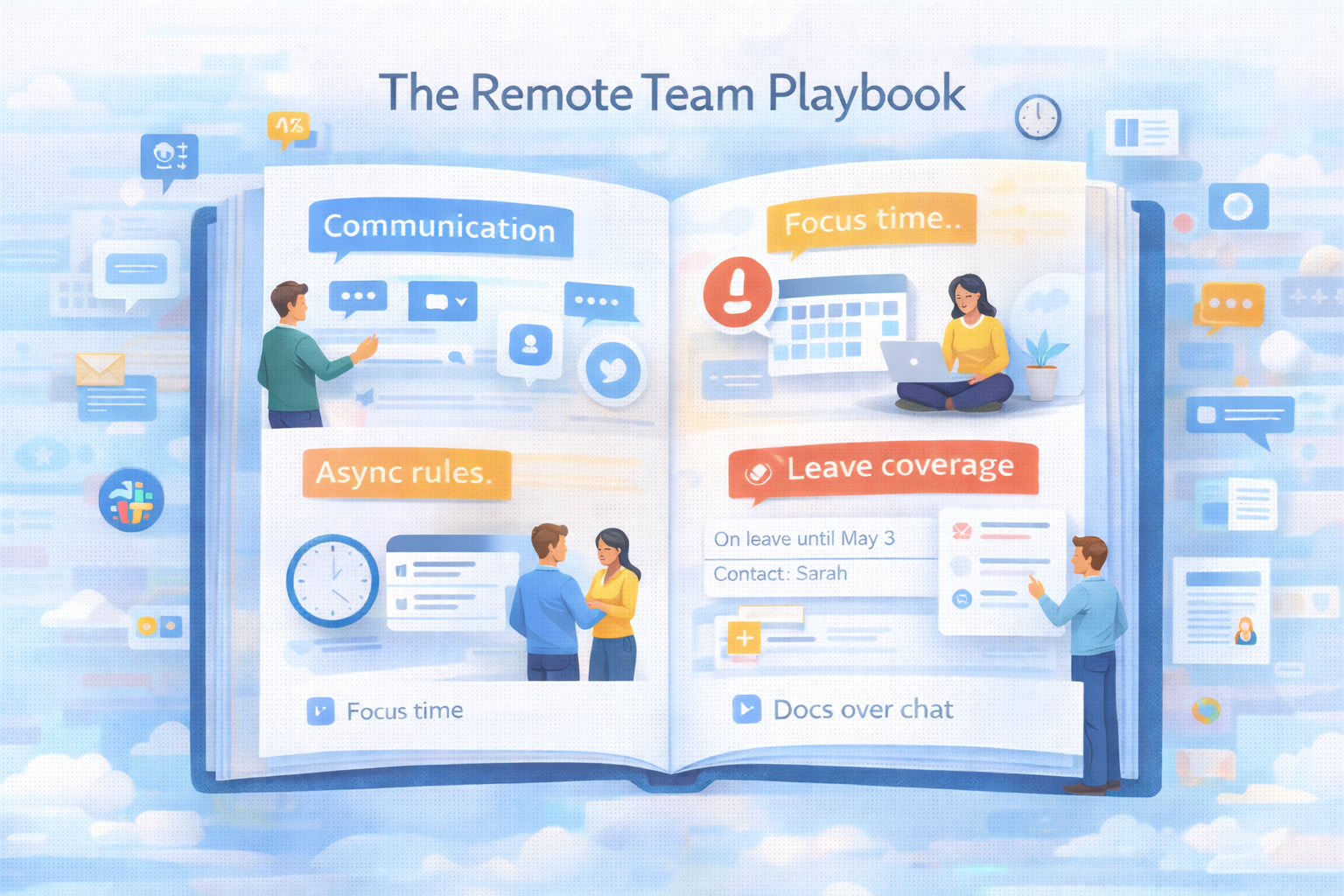
Remote work is supposed to be better. More flexibility. No commute. Work from anywhere. Better work-life balance.
So why does it feel harder?
After working with dozens of remote teams and building Slackoff (a tool for distributed work), I've collected 47 lessons that nobody tells you upfront. This is the handbook I wish existed when we went remote.
Part 1: Communication (Lessons 1-12)
Lesson 1: Overcommunicate, Then Overcommunicate More
In the office: You pick up context from hallway conversations, overhearing meetings, seeing who's stressed.
Remote: You get none of that.
The fix: What feels like overcommunication is actually just enough communication.
Examples:
- Starting deep work? Post in your team channel
- Making a decision? Document it + notify affected people
- Changing direction? Don't assume people know, tell them explicitly
Lesson 2: Async Is Not "Respond Whenever"
What people think async means: "Reply when you feel like it"
What it actually means: "Reply within agreed timeframes without requiring real-time presence"
Set clear expectations:
- URGENT messages: 2-hour response time
- Normal messages: 24-hour response time
- FYI messages: No response needed
Without this: Async becomes "why hasn't anyone responded in 3 days?"
Lesson 3: Not Everything Belongs in Slack
Use Slack for: Quick questions. Time-sensitive updates. Casual coordination.
Use email for: Formal updates. Things that need a paper trail. External communication.
Use docs for: Decisions that need context. Information people will reference. Anything you'll need in 3 months.
Use meetings for: Complex discussions. Conflict resolution. Relationship building.
The rule: If you're explaining it for the third time, it belongs in a doc.
Lesson 4: Threads Are Not Optional
Bad: 20 people in a channel, all posting top-level messages, 5 conversations happening simultaneously.
Good: Use threads for anything longer than 1 message.
Why it matters: Keeps main channel scannable. Preserves context. Reduces notification noise. Makes it clear what's related.
Team norm: "Reply in thread unless it's for everyone."
Lesson 5: Status Messages Are a Superpower
Don't just set: 🏖️ On vacation
Instead: 🏖️ On vacation until Apr 15 - for urgent matters contact @Sarah
Better:
- 🔴 Focus time until 2 PM - DMs paused, will catch up after
- 🟡 In meetings most of day - slow to respond
- 🏥 Out sick - back tomorrow, @John covering urgent items
Why: People know what to expect and who to contact.
Lesson 6: The "Quick Question" Lie
There is no such thing as a quick question in remote work.
What sender thinks: "This will take 30 seconds"
What actually happens: 1) Recipient gets notification (context switch). 2) Checks Slack to see question. 3) Needs to understand context. 4) Formulates answer. 5) Types response. 6) Refocuses on original task (23 minutes).
Total cost: 30+ minutes for a "quick" question
The fix: Batch your questions. "Can I ask you 3 things when you have 10 minutes?"
Lesson 7: Leave Management Is Not Optional
The problem: Someone goes on leave. Chaos ensues.
What you need:
- Before leave: Clear dates, assigned POC, auto-responses set up
- During leave: Team knows who to contact, work doesn't block
- After leave: Prioritized summary, not 73 notifications
Manual option: Post in all channels: "On leave [dates], contact @[POC]". Set Slack status with same info. Hope people see it (they won't).
Better option: Use a tool like Slackoff. Auto-responds when you're mentioned. Asks people to prioritize their message. Gives you a clean summary on return.
Why it matters: Without this, people either: Don't take leave (burnout). Take leave but check Slack anyway (not really leave). Come back to chaos (vacation ruined retroactively).
Lesson 8: Video Calls Drain Energy Differently
In-person meetings: Tiring but natural. Video calls: Exhausting in a unique way.
Why: Your brain works harder to read social cues. Eye contact feels unnatural (camera vs. screen). You're self-conscious about how you look/sound. No physical movement or environmental change.
The fix: Schedule breaks between calls (min 10 min). Default to camera-off for internal meetings. Walk during audio-only calls. Limit video meetings to 3-4 per day max.
Lesson 9: Written Communication Is a Skill
In office: You can gesture, use tone, clarify in real-time. Remote: All you have is text.
What happens: Sarcasm reads as mean. Brevity reads as annoyed. Lack of emoji/reaction reads as disinterest.
Best practices: Use emoji to convey tone (not excessively, but strategically). Be explicit: "This isn't urgent, just FYI". Assume positive intent when reading. Over-clarify rather than under-clarify.
Lesson 10: Timezones Are Harder Than You Think
Simple math: Team spread across 3 timezones (EST, CST, PST). Reality: Scheduling anything is a nightmare.
The fix: Set "core hours" when everyone overlaps (e.g., 12-3 PM EST). Default to async for everything else. Record meetings for those who can't attend. Use World Time Buddy for scheduling.
Pro tip: Put timezones in Slack display names: Sarah (EST), John (PST), Maria (GMT).
Lesson 11: Emoji Reactions Reduce Noise
Instead of: "Thanks!" "Got it" "Agree" "Sounds good"
Use: ✅ 👍 ✨ 👀 (to show you're reading but need time to respond)
Why: Reduces notification noise while still acknowledging messages.
Lesson 12: The #social-random Channel Is Not Optional
Work-only communication leads to: Transactional relationships. Low trust. Feeling isolated. Burnout.
The fix: Dedicated channel for non-work chat. Share weekend plans, pets, hobbies. Virtual coffee chats. Team rituals (Monday shoutouts, Friday wins).
Why: Remote teams need intentional relationship-building. It doesn't happen naturally.
Part 2: Boundaries & Wellbeing (Lessons 13-23)
Lesson 13: "Work From Anywhere" Means "Work From Everywhere"
The promise: Flexibility! The reality: Your bedroom is now your office. Your kitchen is the conference room. There's no separation.
The fix: Designate a workspace (even just a corner). Physical boundary signals work mode. Leave that space when work ends. Ideally, separate room with a door.
Lesson 14: The Shutdown Ritual Saves Your Sanity
Without it: Work never truly ends. You check Slack at 9 PM "just in case."
Create a shutdown ritual. Example: 1) Review tomorrow's calendar (5 min). 2) Close all work apps. 3) Write 3 things accomplished today. 4) Physically close laptop. 5) Put laptop in desk drawer (out of sight).
Why: Signals to your brain: work is done.
Lesson 15: Set Working Hours and Defend Them
The trap: "I can start whenever I want!" → You start at 7 AM and end at 9 PM.
The fix: 1) Set core hours (e.g., 9 AM - 5 PM). 2) Put them in Slack status. 3) Actually stop at 5 PM. 4) Don't respond to Slack after hours.
Team norm: "We don't expect responses outside working hours."
If your company culture doesn't support this: That's not remote work. That's burnout as a business model.
Lesson 16: Lunch Breaks Are Not Optional
The temptation: Eat at your desk while working. So efficient! The reality: You're less productive in the afternoon, more exhausted, and resent work.
The fix: Block 30-60 min for lunch in calendar. Leave your workspace. Don't check Slack. Actually eat. Your brain needs breaks to maintain focus.
Lesson 17: Move Your Body or Pay the Price
Office work: You walk to meetings, get coffee, walk to lunch. Remote work: You sit. All day. In the same chair.
The consequences: Back pain. Energy crashes. Brain fog. Long-term health issues.
The fix: Walk during audio calls. Stretches between meetings. Standing desk or desk converter. Walk before/after work. Exercise as non-negotiable calendar block.
Lesson 18: Zoom Fatigue Is Real
Symptoms: Exhausted after 3 video calls. Dread opening Zoom. Can't focus in afternoon.
The causes: Constant self-monitoring (how do I look?). Lack of non-verbal feedback. Reduced mobility. Cognitive load of interpreting video social cues.
The fixes: Turn camera off when possible. Hide self-view. Use phone for audio-only calls. Stand/walk during calls. Limit to 4 video calls per day max.
Lesson 19: You Can't "Just Pop Over" Anymore
Office: "Hey, got 2 minutes?" → quick conversation → problem solved. Remote: Schedule a call → find time → set up Zoom → have conversation → follow up message.
What changed: Spontaneous problem-solving got harder. The fix: Slack huddles for quick sync. Bias toward async first ("Can this be a message?"). Keep some calendar slots open for spontaneous calls. Overcommunicate to reduce need for sync.
Lesson 20: Loneliness Sneaks Up On You
Month 1-2: "I love working from home!" Month 3-4: "I haven't talked to a human all week..."
The reality: Humans need social interaction. Slack doesn't count. The fixes: Co-working spaces (occasional). Coffee shop work days. Virtual coworking sessions. In-person team meetups. Local meetups with other remote workers.
Lesson 21: FOMO Intensifies Remotely
The fear: Are decisions being made without me? Is my team bonding without me? Am I missing important context?
The remote amplifier: You can't see what's happening. Async channels might have conversations you're not in. Timezone differences mean things happen while you sleep.
The fix: Regular 1-on-1s with manager. Transparent decision documentation. Inclusive meeting practices (record, share notes). Trust your team.
Lesson 22: Taking Vacation Feels Harder
The guilt: Work is one click away. "What if something breaks?" "Will I come back to chaos?"
The reality: Without physical separation (leaving the office), vacation doesn't feel real.
The fix: 1) Set up clear leave coverage (before you go). 2) Auto-responders with POC info. 3) Actually close Slack/email apps. 4) Use a leave management system (manual or tool like Slackoff). 5) Trust your team can handle it.
Remember: If the company can't function without you for a week, that's a management problem, not your problem.
Lesson 23: Work-Life Balance Requires Active Work
Office: Physical commute creates transition. Remote: No transition. Work bleeds into life.
The discipline required: Close laptop at set time (even if task not "done"). Separate workspace from living space. Change clothes (signals mode switch). Create rituals (shutdown, startup). Protect evenings/weekends.
The hard truth: Remote work gives you the freedom to work all the time. Don't.
Part 3: Productivity & Focus (Lessons 24-34)
Lesson 24: Deep Work Blocks Are Your Competitive Advantage
Most remote workers: Constantly interrupted, shallow work only. High performers: Protect 2-4 hour focus blocks daily.
How: 1) Block calendar (9 AM - 12 PM: FOCUS - No meetings). 2) Close Slack. 3) Phone on DND. 4) Work on ONE thing. 5) Batch communication outside focus time.
Result: Accomplish in 3 focused hours what takes others 8 distracted hours.
Lesson 25: Batch Similar Tasks
Don't: Check Slack every 5 minutes. Respond to emails as they arrive. Jump between tasks constantly.
Do: Check Slack 4x/day at set times (9 AM, 12 PM, 3 PM, 5 PM). Respond to emails twice/day (11 AM, 4 PM). Group similar work (all meetings in afternoon, all deep work in morning).
Why: Context switching kills productivity. Batching minimizes switches.
Lesson 26: The Two-Minute Rule Saves Time
If something takes less than 2 minutes, do it now. Why: Tracking it takes longer than doing it. It won't pile up. Reduces mental clutter.
Examples: Reply to simple Slack message. File that document. Schedule that 1-on-1. But: Still batch when possible. Don't let 2-minute tasks interrupt deep work.
Lesson 27: Documentation Is Not Extra Work
It's essential work. Without it: You answer the same questions repeatedly. New hires struggle. Knowledge lives in people's heads (silos). Decisions get forgotten or relitigated.
With it: "Check the docs" becomes standard. Onboarding is smooth. Institutional knowledge persists. You free up time.
Start small: FAQ doc for common questions. Decision log ("Why did we choose X?"). Process docs for recurring tasks.
Lesson 28: Meetings Should Be Rare
Default to async: Status updates → written post. Brainstorm → collaborative doc. Quick question → Slack. Decision → decision doc + async feedback.
Use meetings only for: Complex discussions requiring back-and-forth. Relationship building. Conflict resolution. Final decision-making with multiple stakeholders.
Meeting hygiene: Agenda required. End 5 min early (transition time). Record for those who can't attend. Notes + action items sent after.
Lesson 29: Energy Management > Time Management
You have limited energy, not just limited time. Track your energy: When are you most creative? (protect for deep work). When do you crash? (schedule low-stakes tasks). What drains you? (minimize or batch). What energizes you? (schedule intentionally).
Example pattern: 9-12 PM: Peak energy → deep work. 12-1 PM: Low energy → lunch, walk. 1-3 PM: Medium energy → meetings, collaboration. 3-4 PM: Crash → administrative tasks. 4-5 PM: Second wind → planning tomorrow. Yours will differ. Track it.
Lesson 30: Single-Tasking Is a Superpower
Multitasking is a lie. What you think: "I'm responding to Slack while in this meeting. So efficient!" What's actually happening: You're doing both poorly.
The fix: In meetings: close Slack, focus on meeting. In deep work: close everything except what you're working on. One tab, one task, one focus. Result: Better quality work, faster completion, less exhaustion.
Lesson 31: Your Calendar Is Your Truth
If it's not in your calendar, it doesn't exist. Block time for: Deep work. Lunch. Exercise. Email/Slack batch processing. End-of-day shutdown. Buffer between meetings.
Why: Protects your time from being consumed by others' priorities.
Lesson 32: Notifications Are the Enemy
Default: Everything notifies you. Result: Constant interruptions, zero focus.
The fix. Disable ALL notifications except: Calendar reminders (15 min before). Direct mentions (from specific people). Keywords you set. Everything else: Check on your schedule, not theirs.
Lesson 33: The Pomodoro Technique Actually Works
How it works: 1) Set timer for 25 minutes. 2) Work on ONE thing. 3) When timer ends, 5-minute break. 4) After 4 pomodoros, longer break (15-30 min).
Why it works: Urgency creates focus. Breaks prevent burnout. Builds focus stamina over time. Start small: One pomodoro per day. Build up.
Lesson 34: Saying No Is a Core Skill
Remote work amplifies requests: "Can you join this meeting?" "Quick call?" "Can you help with this?" Without office overhead (walking to conference room), the barrier to asking is lower.
Learn to say: "I can't right now, but I could at [time]". "Let's try async first - can you send details in Slack?" "That's not my priority this week". Just "no" (politely). Your time is finite. Protect it.
Part 4: Team Dynamics (Lessons 35-42)
Lesson 35: Trust Takes Longer to Build Remotely
In office: You see people working, build rapport naturally. Remote: You don't see the work, only the output. The challenge: Trust is harder when you can't observe effort.
How to build it: Deliver what you promise. Communicate progress proactively. Be visible in team channels. Participate in social conversations. Regular 1-on-1s. Occasional video calls (not just async). For managers: Trust by default, not by surveillance.
Lesson 36: Onboarding Remote Employees Is Different
Bad onboarding: "Here are 10 docs to read". "Let us know if you have questions". New hire flounders for weeks.
Good onboarding: Structured first week with specific tasks. Assigned onboarding buddy. Daily check-ins first week. Clear expectations and goals. Introduction to team (video calls). Access to all tools + docs. Async AND sync mix.
First 90 days make or break remote retention.
Lesson 37: Conflict Is Harder (and Easier) to Avoid
Remote makes it easy to: Ignore tension. Avoid difficult conversations. Let resentment build. Because you can just... not respond. Not join the call. Not engage.
The fix: Address conflict early (it won't resolve itself). Video call for sensitive topics (not Slack). Assume positive intent. Be direct but kind. Remote doesn't eliminate conflict. It hides it better.
Lesson 38: Celebrations Matter More
Office: You see the win, high-fives happen naturally. Remote: Wins go unnoticed unless intentional.
What to celebrate: Project launches. Work anniversaries. Birthdays. Personal milestones. Small wins. How: Dedicated #celebrations channel. Shoutouts in all-hands. Virtual happy hours. Send swag/gifts. Public recognition. Why: Remote work can feel isolating. Celebrations create shared joy.
Lesson 39: Meeting Inclusivity Requires Effort
The problem: Some people are in a conference room together, others remote. Remote folks feel like second-class.
The fix. Everyone remote or no one: If one person is remote, everyone joins from their own device. Creates equal participation. Meeting best practices: Use round-robin for speaking (everyone gets a turn). Watch chat for remote participants' questions. Record the meeting. Share notes after.
Lesson 40: Cross-Timezone Collaboration Needs Systems
The challenge: John (PST) hands off to Sarah (EST) who hands off to Wei (GMT+8). Without systems: Things fall through cracks.
With systems: Clear handoff docs. Status updates at EOD. Shared project tracker. Async-first by default. Overlap hours for sync when needed. The relay race model: Each timezone passes the baton clearly.
Lesson 41: Remote Team Bonding Is Intentional or Non-Existent
It won't happen accidentally. What works: Virtual coffee chats (randomized pairings). Online games (Jackbox, Among Us, etc.). Book club / hobby clubs. Show & tell sessions. Virtual escape rooms. In-person retreats (1-2x/year if budget allows). What doesn't work: Mandatory "fun" (resentment builds). Forcing it in work meetings. Awkward icebreakers.
Lesson 42: The Best Remote Teams Meet in Person
Controversial take: Even remote-first teams need occasional face time. Why: Builds trust faster. Resolves misunderstandings. Creates shared experiences. Strengthens relationships.
Frequency: 1-2x per year: full team. Quarterly: subteams. As needed: leadership. But: Make remote the default. In-person is the enhancement, not the requirement.
Part 5: Tools & Systems (Lessons 43-47)
Lesson 43: Fewer Tools > More Tools
The tool sprawl problem: Slack for chat, Zoom for calls, Email for...something, Asana for projects, Notion for docs, Google Drive for files, Miro for brainstorms, Loom for videos, Calendar for scheduling, etc. The result: Context switching between tools. Information scattered everywhere. New hires overwhelmed. Nobody knows where anything is.
The fix: Consolidate ruthlessly. Pick ONE tool per category. Integrate when possible. Document where things live. Minimal stack: Communication: Slack. Video: Zoom. Docs: Notion or Google Docs. Project management: One tool (Asana, Linear, etc.). Calendar: Google Calendar. Add tools only when pain is clear.
Lesson 44: Integration > Standalone Tools
Bad: 10 separate tools that don't talk to each other. Good: 5 tools that integrate seamlessly. Examples: Slack + Google Drive (preview docs in Slack). Slack + Zoom (start calls from Slack). Slack + Calendar (meeting reminders). Slack + Project tool (updates in Slack). Why: Reduces context switching, keeps work flowing.
Lesson 45: Security Matters More Remote
Remote = distributed attack surface. What you need: Password manager (1Password, Bitwarden). 2FA on everything. VPN for remote work. Encrypted file sharing. Device encryption. Clear BYOD policy. For self-hosted tools: Full control over data, no third-party access, compliance-friendly, BUT you manage security. For SaaS: They handle security, SOC2 compliance (hopefully), BUT your data on their servers. Trade-off: Convenience vs. control.
Lesson 46: Leave Management Isn't a "Nice to Have"
The problem: People avoid taking leave because: Fear of returning to chaos. No clear coverage. Guilt about "abandoning" team. The cost: Burnout. Turnover. Resentment. Reduced productivity.
The solution. Set up a system (manual or automated). Before leave: Set dates. Assign point of contact. Set auto-responses. Brief backup on critical items. During leave: Auto-respond when mentioned with POC info. Have people prioritize messages (High vs Low). Backup handles only true emergencies. After leave: Prioritized summary (not 73 unread messages). High-priority items first. Low-priority batched. Quick catch-up (20 min not 2 hours).
Tools: Manual: Slack status + pinned messages. Automated: Slackoff (does all of this automatically for $99 one-time). If your team can't take actual vacations, remote work becomes remote burnout.
Lesson 47: Measure What Matters
Don't measure: Hours online. Messages sent. "Activity". Do measure: Output delivered. Goals achieved. Impact created. Team satisfaction. Remote work thrives on outcomes, not activity.
Key metrics: Project completion rate. Quality of work (peer reviews). Team engagement scores. Burnout indicators (working hours, weekend work). Retention rate. Remember: What gets measured gets managed. Measure the right things.
Putting It All Together: Your First 90 Days Remote
Week 1: Set Up
Do: Create dedicated workspace. Set working hours. Configure Slack notifications. Set up shutdown ritual. Block focus time in calendar.
Don't: Try to learn everything at once. Work from bed. Skip lunch. Check Slack after hours.
Week 2-4: Build Habits
Do: Practice focus blocks daily. Batch Slack checking. Participate in team channels. Overcommunicate progress. Take real lunch breaks. Track: Energy levels throughout day. Focus block effectiveness. Work-life boundary success.
Month 2: Optimize
Do: Review what's working/not working. Adjust schedule based on energy. Establish team communication norms. Document recurring processes. Set up leave coverage system. Optimize: Tool stack. Meeting schedule. Communication patterns.
Month 3: Sustain
Do: Maintain boundaries rigorously. Protect focus time. Take first real vacation (with proper coverage). Build relationships intentionally. Contribute to team culture. Evaluate: Are you more productive? Are you less stressed? Is work-life balance real? What needs adjustment?
The Downloadable Checklist
Remote Work Audit: 47 Questions
Communication: Do you have clear response time expectations? Do you use threads properly? Do you have a leave management system? Is documentation searchable and current?
Boundaries: Do you have dedicated workspace? Do you have a shutdown ritual? Do you protect working hours? Can you take vacation without checking Slack?
Productivity: Do you have 2+ hour focus blocks daily? Are notifications under control? Do you batch similar tasks? Is your calendar protected?
Team: Do you have regular 1-on-1s? Are onboarding processes clear? Do you celebrate wins? Is conflict addressed promptly?
Tools: Is your tool stack minimal and integrated? Do you have proper security? Do you measure outcomes, not activity? Score yourself: 40-47: Remote work master. 30-39: Solid foundation, room to improve. 20-29: Struggling, pick 5 to fix this month. Under 20: Start with lessons 1, 7, 13, 15, and 24.
The Real Talk
Remote work is not automatically better. It's different. It offers flexibility, but requires discipline. It enables focus, but demands boundaries. It removes commutes, but adds isolation. It allows work from anywhere, but risks work from everywhere.
These 47 lessons are what nobody tells you upfront. You have to intentionally create: Communication norms. Boundaries. Focus systems. Team culture. Work-life separation. None of this happens by default.
But when you get it right? Remote work is incredible. You get: Deep focus time. Flexibility that actually exists. Time with family. No commute. Work that fits your life. It just requires more intention than office work ever did.
Start Here
Don't try to implement all 47 lessons. Pick 5 to start. I recommend: 1) Lesson 7: Set up leave management system. 2) Lesson 15: Set and defend working hours. 3) Lesson 24: Block 2-hour focus time daily. 4) Lesson 14: Create shutdown ritual. 5) Lesson 32: Disable most notifications. Implement one per week. Measure the difference. Then add more.
Resources
Related to specific lessons: Leave management (Lesson 7 & 46): Slackoff - $99 self-hosted. Focus time (Lesson 24): Freedom app, Pomodoro timers. Documentation (Lesson 27): Notion, Confluence. Meeting hygiene (Lesson 28): Otter.ai for transcripts, Fellow for agendas.
Books: Deep Work by Cal Newport. Remote: Office Not Required by DHH & Jason Fried. The Async-First Playbook by Doist.
Communities: Remote Work subreddit. Indie Hackers (for remote founders). Nomad List forums.
The Bottom Line
Remote work isn't going away. But bad remote work practices are burning people out. These 47 lessons are the difference between: Remote work that's liberating vs. exhausting. Productivity vs. constant busyness. Healthy boundaries vs. always-on culture. Sustainable work vs. burnout trajectory.
You don't need to be perfect at all 47. You just need to be intentional about the ones that matter most to you. Start today. Pick one lesson. Implement it. Your future remote-working self will thank you.
Try Slackoff →