I Returned From Vacation to 73 Slack Notifications. Here’s What I Built.
Jan 24, 2026 • 7 min read
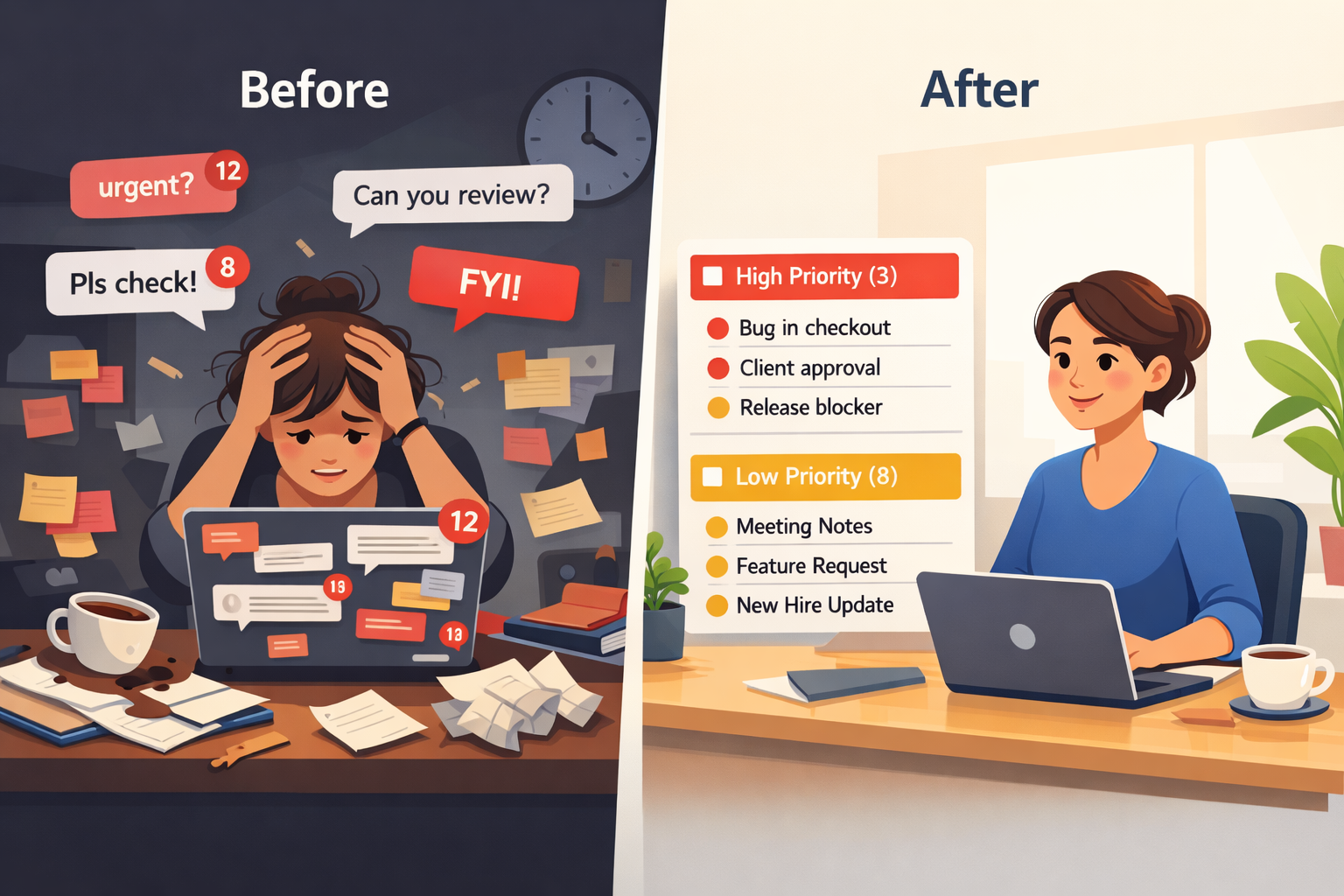
It was Monday morning, 9:47 AM. I’d just gotten back from a week-long vacation in Uttarakhand -my first proper break in eight months. Recharged, tan, ready to ease back into work.
Then I opened Slack.
73 notifications.
73 times someone had tagged me while I was away. And here’s the thing: I had no idea which ones actually mattered.
Was notification #14 about a critical bug? Or was it someone asking if I’d seen the new coffee machine in the breakroom?
I spent the next 2 hours and 18 minutes going through every single message, clicking into threads, reading context, trying to figure out what was urgent and what could wait.
By 12:05 PM, I still hadn’t done any actual work. I’d just sorted through digital clutter.
There has to be a better way.
The Problem Nobody Talks About
We celebrate “taking time off.” We tell each other to “disconnect.” We pride ourselves on having unlimited PTO policies.
But the reality? The cost of disconnecting is chaos when you return.
Here’s what happens when a key team member goes on leave:
For the person on leave
- You come back to a mountain of notifications
- No way to distinguish urgent from casual
- Hours wasted playing catch-up instead of doing actual work
- The “vacation hangover” lasts days
For the team
- They keep tagging you out of habit
- They don’t know who to contact for urgent issues
- Work gets blocked waiting for your response
- Or worse -they make decisions without you and you return to surprises
For the organization
- Multiply that 2-hour sorting time across every person, every vacation
- Add the cost of blocked work and delayed decisions
- Factor in reduced productivity on return day
- The numbers add up fast
I did the math for my team: 8 people × 3 vacations per year × 2 hours = 48 hours of wasted productivity annually. And that’s just sorting notifications, not accounting for blocked work or poor decisions made in someone’s absence.
Why Existing Solutions Don’t Work
“Just set a Slack status,” you might say.
Sure. I did. Here’s what my status said:
“On leave until Nov 25. For urgent matters, contact @john”
What actually happened:
- People still tagged me (they don’t read statuses)
- “Urgent matters” is subjective -is a feature request urgent? A bug report? Someone asking for feedback?
- John got bombarded with questions, many of which weren’t actually urgent
- When I returned, all those messages were still sitting there, unorganized, waiting for me
The Slack status is a band-aid. It doesn’t solve the core problems:
- People don’t know what qualifies as urgent
- There’s no system for prioritization
- The person on leave returns to chaos anyway
So I Built Something
I’m a product designer. And like most designers, when I face a problem repeatedly, I eventually think: “What if I just… built a solution?”
Meet Slackoff: a Slack app that manages leave communications intelligently.
Here’s how it works:
1. You Set Your Leave (30 seconds)
/setleave- Pick your start and end dates
- Assign a Point of Contact (POC) for urgent matters
- Done
2. Your Team Gets Smart Nudges
When someone tags you while you’re away, the app responds:
🏖️ Sarah is currently on leave (until Nov 25)
Is this message High or Low priority?
If they select Low Priority:
- No POC details shown (reduces noise for your backup)
- Message gets logged for when you return
- Everyone knows it can wait
If they select High Priority:
- POC details immediately displayed: “Reach out to John (@john) for urgent matters”
- Message gets flagged for priority review
- Your backup knows to pay attention
3. You Return to Clarity
When you’re back, run:
/backfromleaveYou get a clean summary:
🔴 High Priority (3 messages)
- Production bug in checkout flow - @dev-channel
- Client escalation needing approval - @client-project
- Release blocker - @engineering

🟡 Low Priority (8 messages)
- Feature request discussion - @product-ideas
- Meeting notes FYI - @weekly-sync
- New hire announcement - @general
[...]
Every message has a direct link. You know exactly what needs your immediate attention and what can wait.
No more 2-hour sorting sessions. No more guessing. No more vacation hangover.
The Results So Far
I’ve been testing this with my team for the past month. Here’s what changed:
For me:
- Return-from-leave catch-up time: 2 hours → 20 minutes
- That’s 1 hour 40 minutes saved every vacation
- I actually know what’s urgent immediately
For my team:
- 40% fewer “who do I contact?” questions
- John (my backup) stopped getting pinged for non-urgent stuff
- Better decision-making -they knew when to wait vs. when to escalate
For my company:
- 8 people × 3 vacations × 1.5 hours saved = 36 hours of productivity recovered annually
- Better work-life boundaries (I’m not anxiously checking Slack on day 3 of vacation)
- Smoother team operations when anyone’s out
Why This Matters Beyond Just “Productivity”
Look, I’m not going to pretend this is revolutionary. It’s a simple tool that solves a specific problem.
But here’s what it really does:
It makes taking time off actually restful.
When you know that:
- Your team has a clear escalation path
- Urgent issues will be handled
- You’ll return to organized information, not chaos
…you can actually disconnect. You don’t spend day 4 of your vacation wondering if something’s on fire. You don’t come back dreading the notification avalanche.
You take better vacations. You return more refreshed. You do better work. And honestly? That’s worth building for.
What I Learned Building This
1. Solve Your Own Problem First
I didn’t build this because I thought it would make money. I built it because I was frustrated. The best products often come from personal pain points.
2. Simple Solutions Work
I could have built something complex with AI-powered priority detection and fancy dashboards. Instead, I let people self-prioritize. It works better.
3. Distribution Is Harder Than Building
Building the app took 120 hours. Getting anyone to try it? That’s the real challenge. (If you’re reading this and thinking “I need this” -please try it. I promise it’ll save you time.)
Try It Yourself
If you’ve ever returned from vacation to notification chaos, spent hours sorting through “urgent” messages that weren’t, or wished your team had a better way to handle your absence -give Slackoff a try.
And if it saves you even one hour on your next return from leave, I’ll consider it a win.
Try Slackoff →One Last Thing
I’m sharing this because I think the problem is real. I think the solution works. And I think more people should be able to actually disconnect when they’re on vacation.
If you try it, I’d love to hear your feedback. If you have ideas to make it better, even better. If you think I’m solving a problem that doesn’t exist, tell me that too.
I’m building in public. Learning as I go. And hopefully making vacations a little less stressful for all of us.
Now if you’ll excuse me, I have 4 high-priority messages to address and 11 low-priority ones I’ll get to later.
(See? The system works.)