A Slack Status Isn’t a Leave System (And Why It Fails in Practice)
Jan 10, 2026 • 2 min read
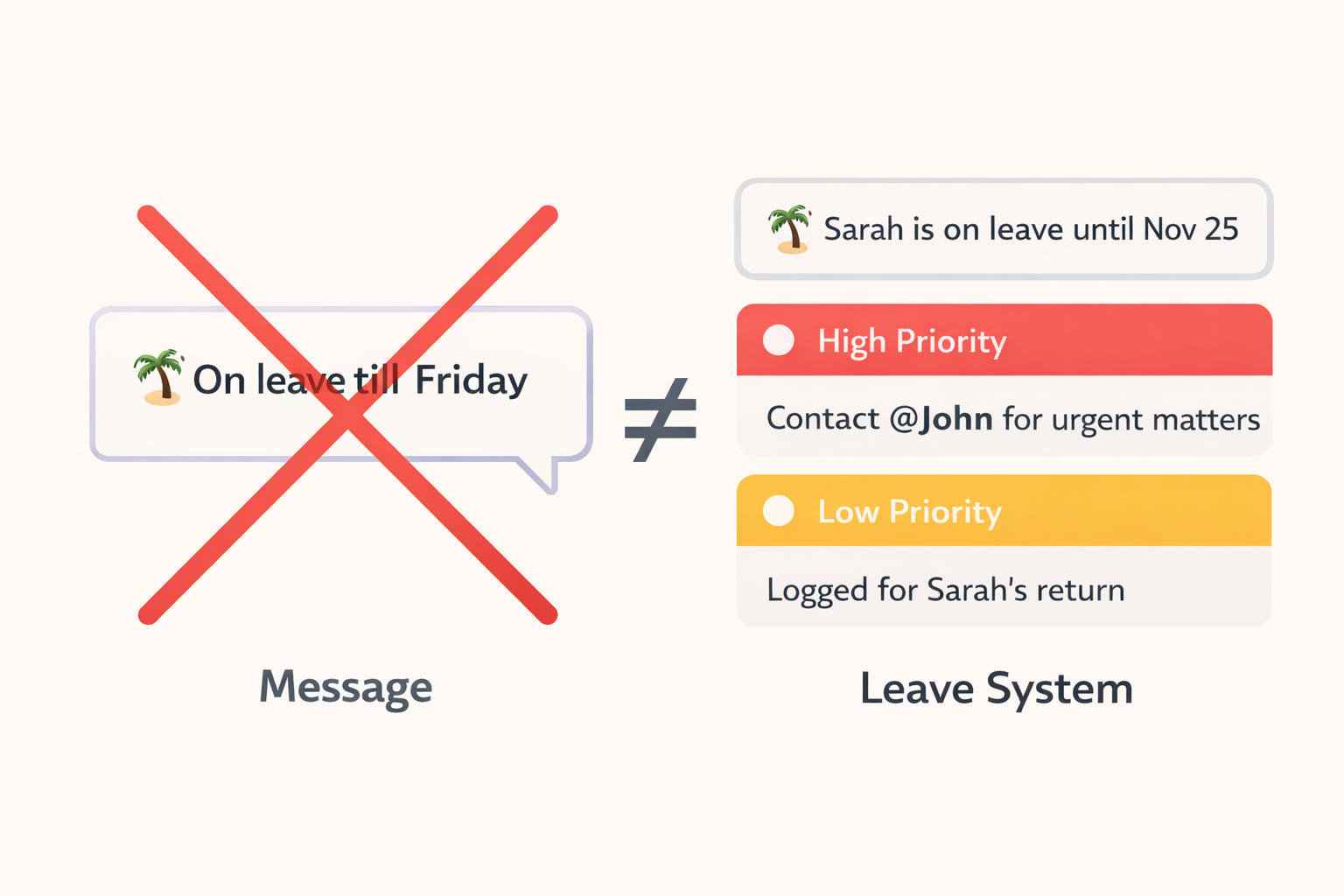
The default advice for going on leave is almost always the same: “Just set a Slack status.”
It sounds reasonable. It’s fast. It’s built-in. It’s… also not a system.
“On leave until Friday. For urgent matters contact @john.”
Here’s what tends to happen anyway: people still tag you, “urgent” becomes subjective, your backup gets spammed, and you return to a pile of unprioritized noise.
Why Slack Statuses Fail
1) People don’t read statuses
Most people are acting on muscle memory. They tag the person who usually knows the answer. In fast-moving channels, statuses are invisible in practice.
2) “Urgent” is subjective
A production outage is urgent. But what about a customer question? A design approval? A feature request? Different teams interpret urgency differently -especially when the cost of being “wrong” feels high.
3) Backups get overloaded
When your status includes a POC, you unintentionally create a single choke point. People forward everything “just in case,” and your backup ends up drowning in low-value pings.
4) You still return to chaos
Even if the team behaved perfectly (they won’t), you still come back to a backlog that looks flat: lunch plans next to release blockers. Slack provides no built-in prioritization for “things that happened while I was gone.”
What a Real Leave System Needs
A real system doesn’t rely on people remembering your status. It changes the workflow at the moment someone tries to tag you.
- Automatic response on mention: “X is on leave until [date].”
- Forced choice: High or Low priority.
- Smart escalation: show POC only for High priority.
- Return summary: High vs Low, with links, so you start with what matters.
The Simple Fix
The simplest way to reduce return-day chaos is to stop treating Slack leave as “a message” and start treating it as “a workflow.”
That’s the exact workflow Slackoff implements: set your leave once, prompt taggers to choose priority, escalate only when needed, and give you a clean summary when you’re back.
Try Slackoff →